




Technology is no longer a separate department that only large companies need to understand. It has become part of almost every important business activity, from communicating with customers and managing sales to protecting information, automating repetitive work, analyzing performance, and helping employees collaborate. Even a small company with only a few employees may depend on cloud software, digital payments, customer relationship management systems, video meetings, artificial intelligence, online storage, cybersecurity tools, and automated workflows every working day.
The challenge is no longer simply accessing technology. Businesses now face the harder problem of deciding which technologies are actually useful. New software appears constantly, artificial intelligence capabilities are developing rapidly, and established business platforms continue adding automation and AI features. Buying more tools does not automatically make a company more productive. A poorly planned technology stack can create duplicate systems, unnecessary subscription costs, fragmented customer data, security weaknesses, and processes that become more complicated instead of simpler.
A strong business technology strategy therefore starts with business needs, not products. Companies should first understand the problems they are trying to solve, the processes that consume unnecessary time, the information employees need, the risks that require protection, and the customer experiences they want to improve. Companies can then select and implement technology as part of a wider operating system rather than as a collection of unrelated applications.
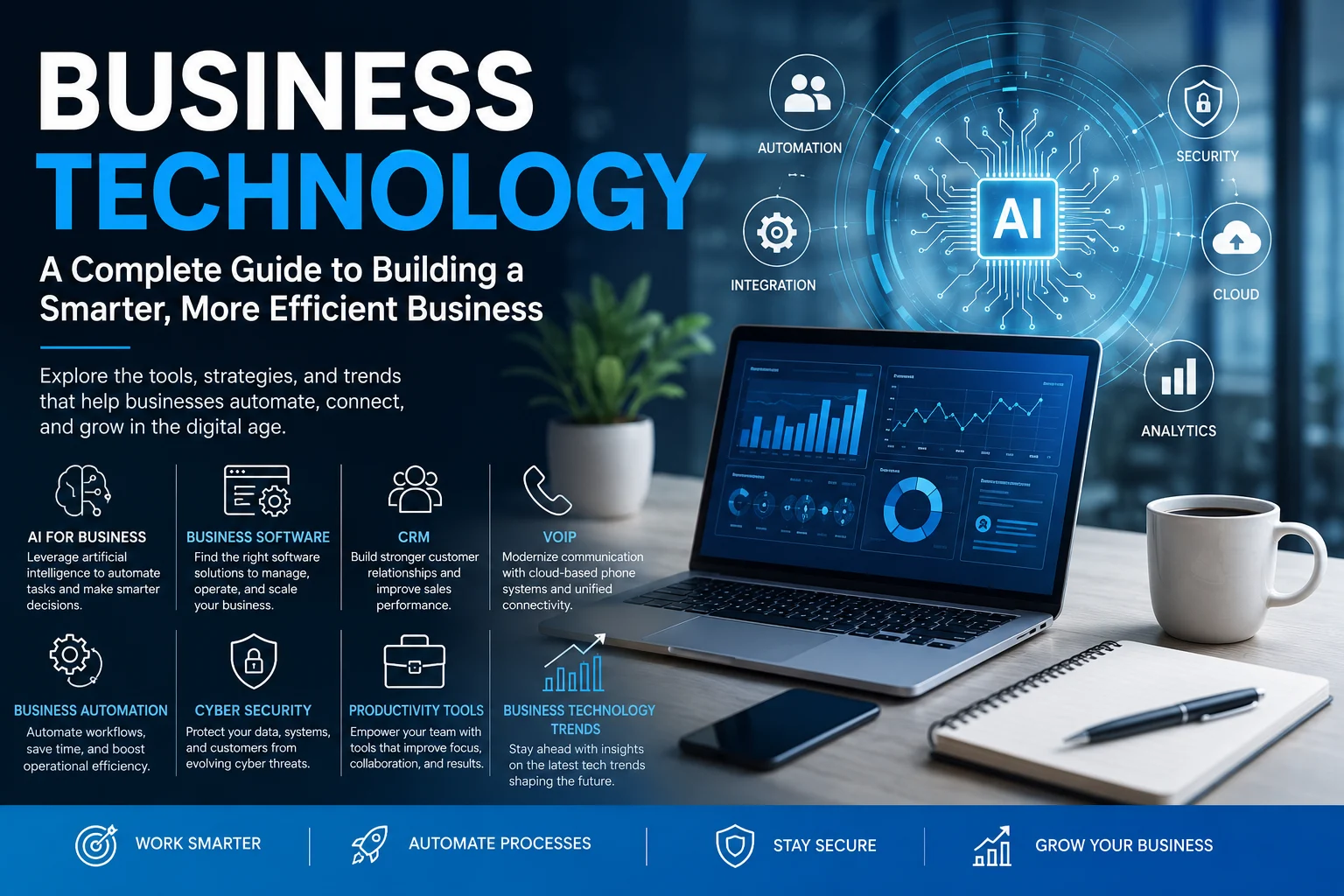
This Businesslineer guide explores the major areas of modern business technology, including AI for business, business software, customer relationship management, VoIP communications, business automation, cybersecurity, productivity tools, and emerging technology trends. It also explains how these technologies connect, how companies can evaluate them, where implementation commonly goes wrong, and how organizations can build a technology foundation that remains useful as the business grows.
What Is Business Technology?
Business technology refers to the digital systems, software, infrastructure, data, communication tools, and technologies that organizations use to operate, make decisions, serve customers, manage employees, protect information, and grow. The term covers everything from a basic accounting platform used by a small business to sophisticated artificial intelligence, cybersecurity, data analytics, enterprise resource planning, and automation systems used by global organizations.
Technology may support front-office activities that directly involve customers. A company might use a CRM system to manage sales opportunities, a chatbot to answer common questions, an e-commerce platform to process orders, or a cloud phone system to route customer calls. Technology also supports back-office functions such as payroll, accounting, inventory management, document storage, employee communication, project management, security, and reporting.
Business technology’s value does not come from the technology itself. Its value comes from what the company can accomplish with it. A CRM that employees never update has little value, while a simple system that gives salespeople reliable customer information can have significant operational impact. Similarly, automation that speeds up a broken process may help the business make mistakes faster.
This is why business technology should be viewed as part of organizational design. People, processes, information, responsibilities, and technology must work together. When any one of these elements is ignored, even an expensive software implementation can underperform.
Why Business Technology Matters More Than Ever
Modern companies operate in an environment where customers expect speed, convenience, personalization, and reliable digital experiences. Employees increasingly work across different offices, homes, countries, devices, and time zones. Business data is distributed across cloud applications, financial systems, customer databases, communication platforms, and third-party services. At the same time, cyber threats, regulatory responsibilities, and competitive pressure keep growing.
Technology gives smaller companies access to capabilities that were once available primarily to large enterprises. A small team can use cloud accounting instead of maintaining an internal finance system, operate a professional customer-support desk through SaaS software, run marketing automation, collaborate through shared workspaces, analyze business data, and use AI tools to assist with research, writing, analysis, coding, and customer service.
The competitive advantage, however, is shifting. Simply using digital tools is no longer unusual. The advantage increasingly comes from how intelligently the organization combines technology with workflows, expertise, data, and human judgment. Two businesses may purchase the same software but achieve very different results because one has designed better processes, trained employees properly, maintained cleaner data, established governance, and connected the system to clear objectives.
Technology therefore matters not because every business needs to chase the newest trend, but because the right technological capabilities can improve how the organization operates. The objective should be better decisions, stronger customer experiences, lower unnecessary friction, more secure operations, and greater capacity for employees to focus on work that genuinely requires human expertise.
Building a Business Technology Strategy Before Buying Tools
One of the most common technology mistakes is selecting software before defining the problem. A company sees a popular AI tool, CRM platform, automation application, or project-management system and immediately asks whether to buy it. A stronger approach begins by understanding what is currently preventing the organization from operating effectively.
Consider a business where customer inquiries regularly go unanswered. The immediate reaction might be to purchase a new CRM. However, the real problem could be unclear lead ownership, poor staff training, disconnected email accounts, slow response expectations, or the absence of a defined sales process. Technology may still be part of the solution, but buying software without understanding the operational problem risks reproducing the same failure inside a new platform.
Companies should therefore identify measurable business outcomes before selecting technology. A sales team may want to reduce lead-response time, improve follow-up consistency, or increase visibility into its pipeline. An operations department may want to eliminate repetitive data entry. A customer-service team may need faster access to customer history. Management may want more reliable financial reporting.
Clear outcomes make software evaluation much easier. Instead of asking which platform has the largest feature list, the business can ask which solution meets its actual requirements while remaining affordable, secure, usable, and able to integrate with the rest of the technology environment.
AI for Business: From Experimentation to Practical Workflows
Artificial intelligence has become one of the most influential areas of modern business technology. Companies are using AI for research, customer service, marketing, software development, document analysis, data interpretation, forecasting, knowledge management, content creation, sales support, and administrative work. The rapid development of generative AI and AI agents has expanded the range of tasks that businesses can augment or automate.
The important shift is from asking whether a company should “use AI” to identifying specific tasks where AI can create measurable value. A broad AI strategy without defined use cases can quickly turn into experimentation without meaningful business impact. A more practical approach is to examine workflows and find places where employees spend significant time summarizing information, searching documents, drafting routine material, classifying requests, transferring data, preparing reports, or analyzing predictable patterns.
AI can assist employees without necessarily replacing the entire process. A salesperson might use AI to summarize account history before a meeting. A support team might use it to suggest responses while allowing a human agent to review them. A finance team might use AI to identify anomalies that require investigation, while managers remain responsible for financial decisions. A marketing team can accelerate research and initial drafts while retaining editorial review and brand oversight.
This human-plus-AI model is becoming increasingly important. Microsoft’s 2026 Work Trend Index describes organizations moving toward workflows in which AI agents perform more execution while people provide direction, judgment, and accountability. That does not mean every company should immediately automate entire departments, but it illustrates how business technology is evolving from individual productivity tools toward coordinated human-agent workflows.
Where AI Can Create Business Value
AI provides the greatest value when it addresses a real operational constraint. Employees who repeatedly spend hours extracting information from similar documents can benefit from AI-assisted document processing that reduces administrative workload. Customer-service teams handling thousands of repetitive questions can use AI to categorize requests, surface relevant knowledge, or automate appropriate low-risk responses. Sales organizations with extensive customer information can also use AI to summarize accounts and identify useful patterns when manual interpretation becomes inefficient.
However, businesses should distinguish assistance from authority. An AI system that helps draft an internal memo creates a different level of risk from one that makes decisions about employment, financial eligibility, healthcare, legal matters, or customer access to essential services. The consequences of an error should influence how much human oversight, testing, documentation, and governance the company requires.
AI should also not be treated as automatically accurate. Generative systems can produce incorrect information, incomplete reasoning, biased outputs, or confident statements unsupported by evidence. Companies need processes to verify important outputs and decide what information should or should not be submitted to external AI services.
Responsible AI and Governance
As AI moves from experimentation into important business processes, governance becomes essential. Organizations should know which AI tools employees use, what data they submit, what decisions the systems influence, who reviews important outputs, and how risks are documented. Employees also need clear rules concerning confidential business information, customer data, intellectual property, and sensitive documents.
The National Institute of Standards and Technology maintains an AI Risk Management Framework designed to help organizations manage risks associated with artificial intelligence. NIST has also published a Generative AI Profile addressing risks that are particularly relevant to generative AI systems, and the broader framework continues to evolve.
For businesses, responsible AI does not have to begin with a complicated bureaucracy. A smaller company can start by maintaining an approved list of AI applications, defining information that employees must not upload, requiring human review for important outputs, recording high-risk use cases, evaluating vendors, and assigning responsibility for AI governance.
Business Software: Creating the Digital Operating System
Business software underpins many other technology capabilities. Organizations use software for accounting, payroll, sales, customer service, human resources, inventory, communication, project management, analytics, document management, marketing, procurement, and many other operational functions.
The software market offers everything from specialized applications designed for a single task to comprehensive platforms that try to manage multiple departments. Neither approach is automatically better. A small company may benefit from several lightweight applications that integrate effectively, while a larger organization might prefer a unified platform that standardizes processes across departments.
The real objective is to build a technology stack in which information can move through the organization without unnecessary duplication. When sales data sits in one system, customer service uses another, finance operates independently, and management relies on spreadsheets assembled manually, employees spend time reconciling information instead of using it.
A well-designed software environment creates a reliable flow of information. A new customer might start as a marketing lead, move into the CRM when qualified, become a customer after purchasing, trigger an invoice in the accounting system, and automatically generate an onboarding workflow. Employees shouldn’t have to rebuild the same customer record manually at every stage.
SaaS, Cloud Software, and On-Premises Systems
Software as a Service, or SaaS, has changed how businesses purchase technology. Instead of buying software once and managing the entire infrastructure internally, companies can subscribe to cloud-based platforms that the provider maintains and updates. This approach can reduce infrastructure requirements and make advanced capabilities more accessible to smaller organizations.
Cloud software also makes remote collaboration easier because users can often access systems through secure internet connections from multiple locations. However, subscriptions can add up quickly, and businesses need to understand vendor security, data ownership, backup arrangements, account administration, service availability, export options, and what happens if they eventually leave the platform.
On-premises systems can still make sense where organizations require specific customization, control, performance, or regulatory arrangements. Base the decision on business requirements rather than assuming cloud or on-premises technology is universally superior.
How to Choose Business Software Without Wasting Money
Start software evaluation with requirements, not demonstrations. Product demonstrations naturally emphasize impressive features, but many businesses end up paying for capabilities their employees never use. The best platform often solves the organization’s highest-priority problems with the least unnecessary complexity.
Ease of use deserves serious attention. A technically powerful system provides little value if employees find it so confusing that they continue managing work through personal spreadsheets and email. Adoption is part of return on investment, which means real users should participate in software evaluation whenever possible.
Integration is another important consideration. Businesses should understand whether the platform connects to systems they already use, whether those integrations are native or dependent on third-party automation tools, and what happens when data needs to move between applications. APIs and integration capabilities become increasingly important as the technology stack expands.
Finally, evaluate the long-term cost rather than only the advertised monthly price. Costs may increase according to users, contacts, storage, transactions, advanced features, support, AI usage, or integrations. Implementation, migration, training, consulting, and administrative time can also be significant.
CRM: Building a Better System for Customer Relationships
Customer relationship management, commonly called CRM, refers to both the practice of managing customer relationships and the software systems that support it. A CRM can organize leads, customer profiles, communication history, sales opportunities, tasks, notes, forecasts, and other information sales, marketing, and customer-service teams need.
The basic purpose of CRM is simple: important customer knowledge should belong to the organization, not remain scattered across individual employees’ inboxes, notebooks, spreadsheets, or memories. When information is centralized, teams can understand what has already happened with a customer and what should happen next.
For a salesperson, this may mean seeing when a lead entered the pipeline, which emails have been exchanged, what products the prospect expressed interest in, and when the next follow-up is due. For a manager, CRM can show pipeline value, conversion rates, sales activity, forecasted revenue, and stalled opportunities.
CRM becomes even more valuable when connected to other systems. Marketing tools can add campaign information, phone platforms can log calls, customer-support systems can share service history, and accounting software can indicate whether someone has become a paying customer. A connected view helps departments work around the same customer relationship rather than maintaining separate versions of reality.
Why CRM Implementations Fail
CRM projects often fail because companies treat CRM as software rather than as a business process. If sales stages are unclear, lead ownership is inconsistent, employees don’t know what information to record, or managers never use the data, installing a CRM will not solve the underlying problems.
Too much complexity can also damage adoption. Companies sometimes create dozens of mandatory fields, complicated workflows, excessive dashboards, and administrative requirements because the software allows them. Salespeople then begin viewing CRM as a reporting burden rather than something that helps them sell.
A better CRM should make important work easier. It should remind employees about follow-ups, reduce unnecessary data entry, provide useful customer context, help managers identify problems, and make handoffs between teams smoother. Automation and AI can support these objectives, but the underlying customer process still needs to make sense.
VoIP: Modernizing Business Communication
Voice over Internet Protocol, commonly called VoIP, allows voice communication to travel over internet-based networks rather than relying exclusively on traditional telephone infrastructure. Modern cloud phone systems can provide businesses with professional numbers, extensions, call routing, voicemail, mobile applications, call recording, analytics, conferencing, and integrations with other business software.
For companies with distributed or remote teams, VoIP can make business communication more flexible. Employees can make and receive calls through laptops, smartphones, desk phones, or browser-based applications while keeping the company’s business identity. Companies can route calls by department, schedule, availability, or geographic requirements.
Integration is one of VoIP’s strongest business advantages. When a phone platform connects to CRM software, an incoming customer call may automatically display account information. Call records and notes can become part of the customer history, reducing the need for employees to enter information manually.
Businesses evaluating VoIP should consider more than call price. Internet reliability, voice quality, security, emergency calling arrangements, number portability, support quality, international coverage, mobile capabilities, integrations, recording policies, and regulatory requirements can all influence the decision. A communication system is operational infrastructure, so reliability matters as much as features.
Unified Communications and the Future of Business Calling
Business communication is increasingly moving beyond separate phone, messaging, meeting, and collaboration systems. Unified communications platforms combine several channels so employees can switch more easily between messaging, voice calls, video meetings, file sharing, and team collaboration.
This can reduce application switching and make remote work easier, but consolidation is not automatically beneficial. A platform that offers every communication channel but performs poorly on the functions the company depends on most may be less useful than a carefully integrated set of specialized applications.
The right communications architecture depends on how customers and employees actually interact. A high-volume customer-service organization has different requirements from a small consulting firm, field-service company, healthcare practice, or international sales team.
Business Automation: Removing Repetitive Work From Operations
Business automation uses technology to perform tasks, move information, trigger actions, or coordinate processes with less manual intervention. Automation can be as simple as automatically sending an invoice reminder or as sophisticated as coordinating multiple applications, AI agents, approval systems, and data workflows.
Good automation usually begins with repetitive, predictable work. If an employee performs the same sequence dozens of times each week, the process may be a candidate for automation. Examples include transferring leads between systems, creating project folders, sending appointment reminders, assigning support tickets, updating records, preparing recurring reports, generating invoices, or notifying employees when something requires attention.
The benefit isn’t just saving time. Automation can improve consistency because it follows the same predefined process each time. It can reduce manual data-entry errors, shorten response times, make responsibilities more visible, and help a company handle greater transaction volume without increasing administrative work at the same rate.
However, automation should not hide poorly designed processes. Before automating a workflow, the business should ask whether every step is necessary. Eliminating an unnecessary step is usually better than automating it.
Workflow Automation and AI Agents
Traditional automation is generally rule-based. If a specific event happens, the system performs a predefined action. AI-powered automation can handle greater ambiguity because models may interpret documents, classify information, create summaries, or choose among several possible actions.
AI agents extend this idea further by allowing software to perform sequences of tasks toward a defined goal. The 2025 and 2026 evolution of workplace AI has increasingly focused on human-agent collaboration, with organizations experimenting with agents that assist or execute portions of customer service, research, marketing, product development, and other workflows. Microsoft’s research reflects this shift toward organizations combining human direction with increasingly capable digital workers.
Businesses should introduce this type of automation carefully. The more autonomy an automated system receives, the more important monitoring, permissions, testing, exception handling, audit trails, and human escalation become. Businesses should not delegate high-impact actions merely because they can technically be automated.
Cybersecurity: Technology Risk Is Business Risk
Cybersecurity should not be treated as an issue that belongs only to the IT department. Businesses depend on email, customer information, financial records, cloud applications, online payments, devices, websites, communication systems, and third-party providers. A security failure can therefore disrupt sales, operations, customer service, finances, reputation, and regulatory compliance.
Small businesses are not too small to require cybersecurity. In fact, smaller organizations may have fewer dedicated security resources while still holding customer records, payment information, employee data, intellectual property, credentials, and access to larger partners. CISA provides cybersecurity guidance specifically for small and medium-sized businesses, including recommendations covering phishing, authentication, software updates, backups, encryption, logging, and incident preparation.
The NIST Cybersecurity Framework 2.0 provides another useful structure. Its core functions include Govern, Identify, Protect, Detect, Respond, and Recover, giving organizations a way to think about cybersecurity as an ongoing risk-management process rather than buying a single security product. NIST also maintains a Small Business Quick-Start Guide for organizations with modest or developing cybersecurity programs.
Security should therefore be considered when selecting every important piece of business technology. The organization needs to know who has access, what information it stores, how it protects accounts, how it updates software, how it backs up important data, and what will happen if a critical system becomes unavailable.
Start With Strong Identity and Access Security
Many business systems rely on usernames and passwords, making identity security especially important. Strong unique passwords and password managers provide a foundation, but passwords alone are not enough for important systems.
Multifactor authentication adds another verification factor before allowing access. CISA recommends requiring MFA wherever possible and encourages businesses to move toward phishing-resistant methods for stronger protection. Administrative accounts, email, file storage, financial platforms, CRM systems, and remote access deserve particularly careful protection.
Businesses should also apply the principle of least privilege. Employees should have the access they need for their responsibilities, not broad access simply because it is easier to configure. Review access when employees change positions or leave the organization.
Backups, Updates, and Incident Preparation
Cybersecurity is not only about preventing attackers from entering a system. Companies should also prepare for failures, mistakes, ransomware, accidental deletion, lost devices, and service disruptions. Reliable backups help organizations recover important information when primary systems become unavailable.
Software updates are equally important because security weaknesses are regularly discovered and corrected. Delaying critical updates can leave systems exposed after attackers already know a vulnerability exists. Businesses should understand who is responsible for updates across operating systems, websites, plugins, devices, cloud applications, and specialized business software.
Businesses should also plan for incident response before a crisis occurs. Employees should know who to contact if they suspect a compromised account, a suspicious email, a lost device, a ransomware infection, or an unauthorized transaction. A simple, tested response plan is far more useful during an incident than trying to invent one after systems have already been disrupted.
Productivity Tools: Helping People Work Better, Not Just Faster
Productivity software includes project-management platforms, document collaboration systems, calendars, note-taking applications, communication tools, time-management systems, task managers, knowledge bases, whiteboards, file-sharing platforms, and increasingly AI assistants. These tools are designed to make work more organized and efficient, but adding too many can have the opposite effect.
Employees may end up checking email, chat, project software, CRM notifications, task applications, shared documents, AI assistants, and multiple dashboards throughout the day. Information becomes fragmented, notifications multiply, and workers spend more time managing the systems meant to help them work.
A better productivity strategy focuses on clarity. Teams should know where tasks are managed, where documents are stored, how urgent communication happens, where long-term knowledge belongs, and which system contains the authoritative version of important information.
Tools should reduce cognitive load rather than add to it. A project-management system is valuable when it helps employees understand priorities and ownership without requiring constant maintenance. A knowledge base is useful when people can reliably find information instead of repeatedly asking the same questions.
Measure Output Rather Than Software Activity
Technology makes it easy to measure activity, but activity should not be confused with productivity. The number of messages employees send, meetings they attend, tasks they mark complete, or hours they appear online does not necessarily show whether they are completing valuable work.
Management should connect productivity technology to meaningful outcomes. A customer-service team might evaluate resolution quality and response times, while a sales organization may focus on qualified opportunities and revenue. A project team may measure whether important deliverables are completed accurately and on schedule.
AI can help reduce administrative work, but organizations should use the time saved intelligently. If automation eliminates two hours of repetitive reporting but immediately replaces those hours with additional meetings and notifications, the productivity benefit may disappear.
Integration: The Difference Between a Tool Collection and a Technology System
As businesses adopt more applications, integration becomes increasingly important. Without integration, employees manually move information from one system to another, creating delays, duplicate records, inconsistencies, and avoidable mistakes.
A connected technology stack allows information to travel with the customer or business process. A website form can create a CRM lead, trigger an automated follow-up, assign the prospect to a salesperson, create a task, and update reporting without manual data entry.
Integration can happen through built-in connections, APIs, middleware, automation platforms, or custom development. The best approach depends on the process’s complexity and importance.
Businesses should avoid creating unnecessary integration complexity, however. Every connection creates something that may eventually require monitoring or maintenance. Standardizing around fewer core platforms can sometimes be more effective than connecting dozens of specialized applications.
Business Data and Analytics
Technology produces enormous amounts of business data, but collecting more data does not guarantee better decisions. Organizations need reliable information connected to questions that actually matter.
Sales leaders may need to understand pipeline health, win rates, and customer acquisition. E-commerce managers may focus on conversion rate, average order value, repeat purchases, inventory, and contribution margin. Operations teams may evaluate processing times, errors, capacity, and service levels.
Problems arise when departments calculate the same metric differently or maintain separate versions of important information. Data governance does not have to be complicated, but companies should define important metrics, determine which system is authoritative, and assign responsibility for maintaining data quality.
AI and advanced analytics can make business data more accessible, allowing employees to ask questions in natural language or receive automated summaries. Those capabilities are useful only when the underlying data is sufficiently reliable. Sophisticated analysis cannot compensate for incorrect, incomplete, or duplicated source information.
Technology Should Improve the Customer Experience
Customers ultimately experience business technology through the processes it creates. They notice whether websites work properly, payments are simple, employees know their history, inquiries receive quick responses, deliveries can be tracked, appointments are remembered, and problems are resolved without repeating the same information to multiple departments.
Automation can improve these experiences by removing unnecessary friction. Appointment reminders may reduce missed meetings, while a CRM can prevent customers from repeatedly explaining their situation. Self-service knowledge bases can give customers immediate answers to routine questions.
Technology can also damage customer experience when implemented without judgment. An automated support system that prevents customers from reaching a human during a complicated problem creates frustration. Excessive personalization may feel intrusive if customers do not understand how their data is being used.
Companies should therefore evaluate technology from the customer’s perspective as well as the organization’s. Efficiency matters, but the cheapest automated interaction is not always the best business decision.
Managing Technology Costs and Return on Investment
Technology subscriptions can quietly become a significant operating expense. A company may start with a few affordable applications and later discover that different departments pay for overlapping software, inactive accounts, unused features, and duplicate data services.
A regular technology audit can help identify waste. Businesses should know what software they own, which employees use it, how much it costs, what process it supports, what information it contains, and whether another application already provides the same capability.
Return on investment should also be considered broadly. Some technology directly increases revenue, while other systems reduce risk, improve service, save employee time, or create operational capacity. A cybersecurity tool may never produce sales, but preventing a significant incident can create enormous value.
The key is to connect technology spending to business outcomes. Software should not survive indefinitely simply because the company has always paid for it.
Technology Implementation and Employee Adoption
Even well-selected technology can fail with poor implementation. Employees need to understand why the system is changing, how the technology improves their work, what new processes they must follow, and where to get help.
Training should focus on real workflows rather than every feature the software contains. A salesperson needs to know how to manage a lead correctly, not memorize every CRM menu. A manager needs to know how to review the pipeline and identify problems, while an administrator may require deeper configuration knowledge.
Leadership behavior matters as well. If managers tell employees to use a new system but continue requesting reports through spreadsheets and email, employees quickly learn that the old process still has authority.
Technology adoption should therefore be treated as organizational change. Successful implementation combines technical configuration with communication, training, process design, accountability, and feedback.
Business Technology Trends Shaping 2026 and Beyond
Business technology changes quickly, but some developments represent deeper shifts rather than temporary product trends. Artificial intelligence is moving from isolated assistants toward embedded capabilities across business software. CRM, productivity platforms, analytics applications, customer-service systems, communication tools, and automation platforms increasingly incorporate AI directly into existing workflows.
AI agents are another major development. Instead of responding only to individual prompts, agentic systems can perform sequences of tasks, interact with tools, and work toward defined objectives. Microsoft’s latest Work Trend Index research focuses heavily on this shift toward human-agent collaboration and the organizational changes required as AI takes on more execution.
At the same time, cybersecurity is becoming inseparable from technology procurement. Organizations increasingly need to evaluate not only what a product can do but how securely it is designed, what information it processes, how users authenticate, how vendors manage vulnerabilities, and how the organization would recover if the service were compromised or unavailable.
Technology consolidation is another important trend. Companies that accumulated large SaaS stacks are examining whether fewer connected platforms can reduce cost and complexity. This does not mean specialized software will disappear, but buyers are becoming more interested in interoperability and whether new tools create enough additional value to justify another system.
AI Will Become a Feature of Business Software Rather Than a Separate Category
The distinction between “AI software” and ordinary business software is likely to become increasingly difficult to maintain. Accounting systems can use AI to categorize transactions, CRM platforms can summarize customer interactions, productivity software can draft and analyze documents, and customer-service applications can recommend or generate responses.
This means businesses will increasingly evaluate AI as part of existing software decisions rather than purchasing a completely separate AI tool for every use case. The important questions will shift toward data access, model quality, security, governance, accuracy, transparency, cost, and how much control users retain.
The companies that benefit most are unlikely to be those that activate every available AI feature. They will be the organizations that redesign appropriate workflows around these capabilities while maintaining strong human oversight where judgment matters.
How Small Businesses Should Prioritize Technology
Small businesses rarely have unlimited budgets or dedicated teams for every technology category, so prioritization is essential. The first objective should be to build a reliable operational foundation rather than adopt advanced technology simply because it is popular.
A small business typically needs dependable financial systems, secure communication, data backup, account security, customer-management processes, and basic productivity capabilities before complex AI or automation projects become priorities. Once those foundations work consistently, automation can remove repetitive work, and AI can augment selected workflows.
Introduce technology based on the most important operational bottlenecks. Disorganized customer information may make CRM more valuable than investing in an advanced analytics platform. Employees who spend hours manually transferring information may benefit more from workflow automation. Weak account security should also be addressed before the business invests in additional convenience features.
This approach keeps the technology roadmap connected to business reality. The goal is not to appear technologically advanced; it is to build capabilities that solve important problems.
How Larger Businesses Should Manage Technology Complexity
As organizations grow, technology decisions become more interconnected. Different departments may purchase software independently, data may move across dozens of systems, and integration failures can affect thousands of customers or employees.
Governance becomes increasingly important at this stage. Companies need clearer processes for software procurement, cybersecurity review, data classification, integration standards, vendor management, AI usage, access control, and technology retirement.
Architecture also matters. Short-term solutions that work for a 10-person company may create significant problems at 500 employees. Evaluate systems for scalability, administrative control, reliability, data portability, and interoperability.
However, larger organizations should not assume complexity is unavoidable. Simplifying processes and retiring unnecessary technology can be just as strategically valuable as adding new capabilities.
Common Business Technology Mistakes
One frequent mistake is purchasing technology because competitors use it. Another organization may have different processes, customers, resources, employees, and technical requirements. Technology selection should begin with your own operating needs.
A second mistake is assuming new software will automatically fix a broken process. If responsibilities are unclear and data quality is poor, technology may make those problems more visible.
Businesses also frequently underestimate implementation. Migration, training, integration, configuration, data cleanup, security, and employee adoption can require more effort than selecting the software itself.
Another mistake is allowing the technology stack to expand without governance. Duplicate tools accumulate, employees create unauthorized accounts, access remains active after staff leaves, and important data becomes scattered across applications.
Finally, companies sometimes automate activities that require human judgment. Efficiency should not become the only goal. Customer relationships, sensitive decisions, strategy, ethical questions, and high-impact situations may still require meaningful human responsibility even when technology can assist.
Creating a Business Technology Roadmap
A technology roadmap helps a company connect immediate problems with longer-term capabilities. It does not need to predict every future technology. Instead, it should identify priorities, dependencies, expected outcomes, responsible owners, risks, and approximate implementation stages.
Begin by documenting the current technology environment and major operational problems. Identify critical systems, overlapping tools, time-consuming manual processes, security weaknesses, and areas where employees lack reliable information.
Next, prioritize initiatives based on business impact, urgency, cost, complexity, and risk. A cybersecurity vulnerability affecting critical accounts may require immediate action, while a sophisticated AI analytics project can wait until data quality improves.
After implementation, measure whether the technology achieved its intended outcome. Technology strategy should be iterative because business requirements, products, threats, and capabilities continue changing.
Building a Technology Stack That Can Grow With the Business
A sustainable technology stack does not require predicting exactly what the company will need five years from now. It requires avoiding decisions that unnecessarily prevent future change.
Choose systems that allow data to be exported, provide reasonable integration options, support appropriate security controls, and can accommodate expected growth. Avoid becoming unnecessarily dependent on proprietary workflows that would be extremely difficult to leave.
Document important configurations and ownership. Businesses often become dependent on one employee or external consultant who is the only person who understands how a critical automation or system works.
Technology should create operational resilience rather than hidden dependencies. As the company grows, its systems should make coordination easier instead of becoming an obstacle to further growth.
Frequently Asked Questions About Business Technology
FAQs
What Is Business Technology?
Business technology includes the software, digital platforms, infrastructure, communication systems, data tools, automation, artificial intelligence, cybersecurity technologies, and other digital capabilities organizations use to operate and grow. Its purpose is to support business objectives, not simply introduce more technology.
What Technology Does a Small Business Need?
Requirements differ by business, but many small companies need accounting or financial software, secure email and file storage, customer-management capabilities, communication tools, backup systems, cybersecurity protections, and basic productivity software. Add additional systems based on specific operational needs.
How Can AI Help a Business?
AI can assist with research, document analysis, drafting, data interpretation, customer support, sales preparation, knowledge retrieval, coding, marketing, and workflow automation. Businesses should choose use cases according to measurable value while maintaining appropriate review, security, privacy, and governance.
What Is CRM Software Used For?
CRM software helps businesses organize leads, customers, communications, sales opportunities, tasks, customer information, and pipeline activity. A well-implemented CRM creates shared customer visibility and helps sales, marketing, and service teams coordinate.
What Is VoIP for Business?
VoIP allows voice calls to operate through internet-based networks. Modern business VoIP platforms can provide phone numbers, extensions, call routing, voicemail, mobile applications, analytics, conferencing, and integrations with CRM and other systems.
What Is Business Process Automation?
Business process automation uses technology to perform repetitive tasks or coordinate workflows with reduced manual intervention. It may include sending notifications, moving data between systems, generating documents, updating records, assigning work, or triggering actions when predefined conditions occur.
Why Is Cybersecurity Important for Small Businesses?
Small businesses still store valuable information and depend heavily on digital systems. Cyber incidents can disrupt operations, expose customer or employee data, create financial losses, and damage trust. Security practices such as MFA, software updates, backups, access control, employee awareness, and incident planning can reduce risk.
What Are Productivity Tools?
Productivity tools are applications that help employees organize tasks, communicate, collaborate, manage documents, share knowledge, plan projects, schedule work, and reduce administrative effort. Their value depends on whether they simplify work rather than add unnecessary applications and notifications.
How Often Should Businesses Review Their Technology Stack?
No universal schedule exists, but businesses should review key systems regularly and whenever operations, staffing, security requirements, or strategic objectives change. Software subscriptions, access permissions, integrations, security controls, usage, and costs deserve recurring review.
What Is the Biggest Business Technology Trend Right Now?
Artificial intelligence, particularly the movement from standalone AI assistants toward AI embedded throughout business software and increasingly agentic workflows, is one of the most significant current developments. Cybersecurity, software consolidation, automation, cloud platforms, integrated business data, and human-AI collaboration are also major areas shaping business technology.
The Future of Business Technology Is About Better Business, Not More Technology
Business technology will continue changing quickly. AI models will become more capable, automation will handle more complex workflows, business software will become increasingly intelligent, communication platforms will become more integrated, and cybersecurity requirements will continue evolving alongside new threats. Businesses will constantly face opportunities to adopt new capabilities.
However, the fundamental objective should remain stable. Technology exists to help organizations serve customers, support employees, manage information, protect operations, make better decisions, and create economic value. The number of tools a company owns is not a useful measure of technological maturity.
A mature business technology strategy connects people, processes, data, security, and software. It introduces automation where repetitive work does not require human judgment, uses AI where it creates meaningful value, protects important information, and ensures employees can actually use the systems provided to them.
For some companies, the next important technology investment may be an advanced AI workflow. For another, it may mean cleaning up CRM data, strengthening account security, removing duplicate software, improving phone routing, or automating one administrative process that wastes several hours each week.
Businesslineer’s Business Technology pillar can serve as the central resource connecting deeper guides on AI for Business, Business Software, CRM, VoIP, Business Automation, Cybersecurity, Productivity Tools, and Business Technology Trends. As those subcategory resources and supporting articles grow, this pillar should continue providing the broad strategic understanding while directing readers toward specialized guidance when they need to solve a particular technology problem.
The strongest companies will not necessarily be those that adopt every emerging technology first. They will be the organizations that understand where technology creates genuine value, implement it responsibly, measure its impact, protect the systems they depend on, and keep adapting as their customers, employees, markets, and technologies evolve.